Getting started
Create an account, sign in and find your way around in ten minutes.
1. Create an account
Open Register, choose a username, give your email address and a display name, and pick a password of at least 10 characters. You sign in with your email address and that password.
If you already have an account, use Sign in instead.

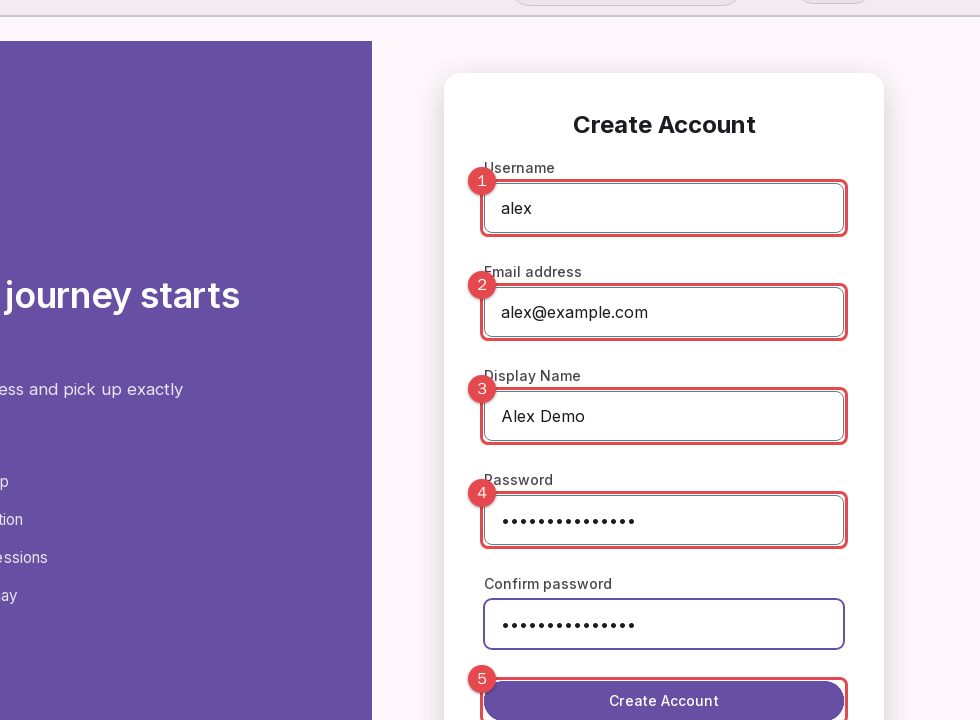
Username: letters, numbers, - and _.
Email address: used as a second way to sign in.
Display name: what the navigation bar shows.
Password: choose a long one.
Create Account: press when everything is filled in.
2. Sign in
Sign in on the page that opens after registering. You stay signed in for up to two weeks on this device, and your session refreshes while you use the app.
3. Choose your stage
The first time you sign in you may be asked what kind of startup you are building and what stage you are at. This only tailors the Planner roadmap and the hints you see; you can change it later.
4. Know where things are
The menu (top left) groups everything: Plan (Planner, Dashboard, Milestones, Weekly review), Discover (Market research, Decisions, Scoping), Finance (Financials, Accounting), Execute (OKRs, KPIs, PDCA, Risks, Pivots) and Connect (Community, Resources, Profile). The dashboard shows your progress at a glance.
The business name next to the logo is the business you are working on. See Several businesses to add more.
Your home page shows one next step at a time. The menu is short on purpose: turn on Show advanced tools at the bottom of the menu to see everything.
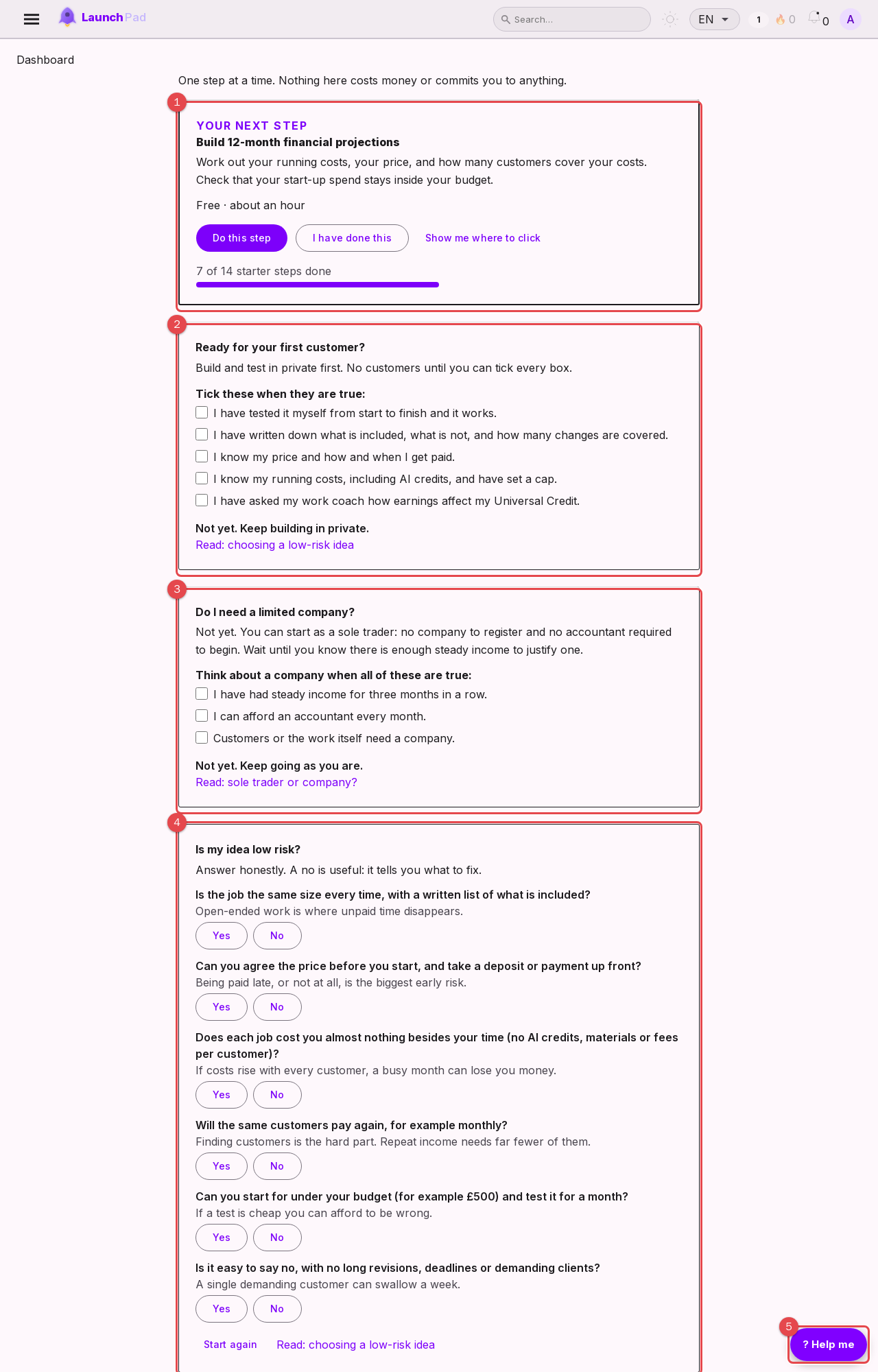
Your next step. Do it, then press I have done this.
Ready for your first customer? Tick these before you take one.
Do I need a limited company? The answer is usually not yet.
Is my idea low risk? Six questions that show what to fix.
Help me: replays the tour or opens the help articles.
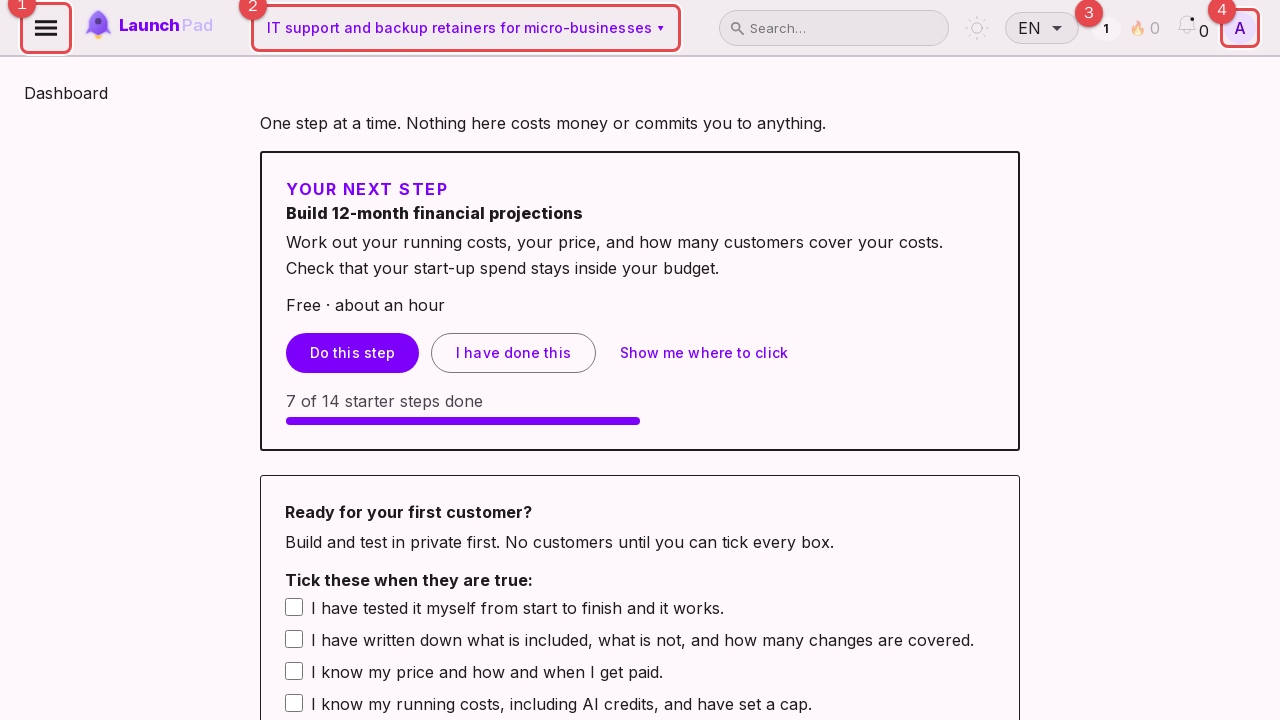
Menu: opens the list of pages.
Business selector: pick which business you are planning and costing.
Points and streak: reward for steady progress.
Avatar: profile, settings and log out.
5. What to do first
Work through the first steps of the Planner roadmap, then fill in your Business model canvas and a first weekly review. Small, honest entries are better than perfect ones: you can edit everything later.