Accounting: Xero and Zelt
See invoices, cash and payroll next to your plan.
What it shows
Connect Xero to see revenue, outstanding invoices and cash on hand, and Zelt to see payroll cost and headcount. The Accounting page turns them into five headline figures.
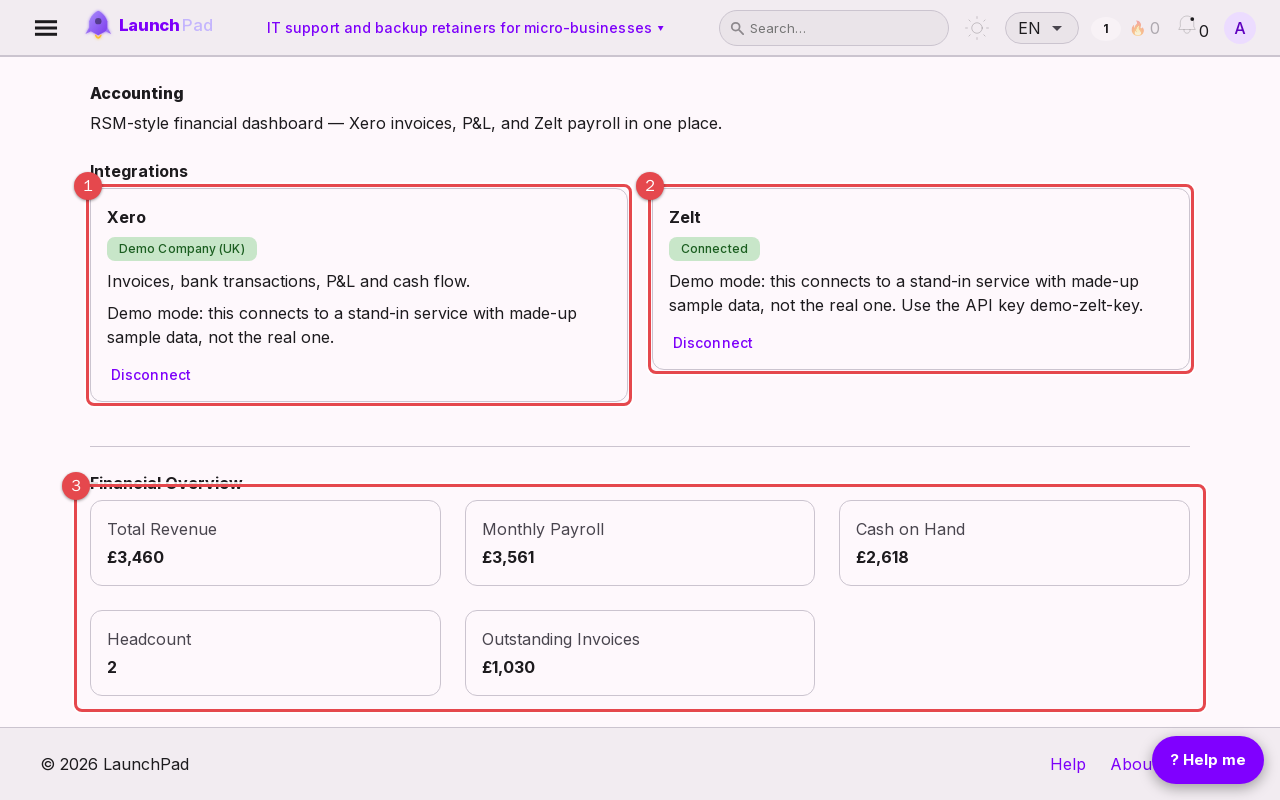
Xero connection card: shows the organisation once connected.
Zelt connection card: payroll and people data.
Key financial metrics: revenue, payroll, cash and headcount.
Connecting Xero
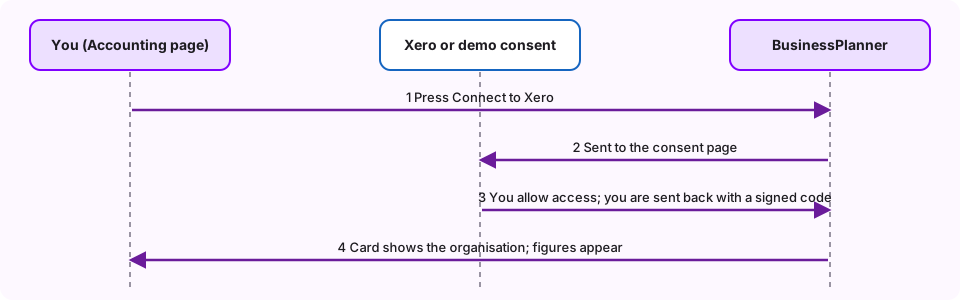
Choose Connect Xero, sign in on the Xero page that opens and allow access. You come back to the Accounting page connected. Disconnect at any time from the same card.
Connecting Zelt
Enter your Zelt API key and choose Connect. The key is checked first; a key that does not work is not saved.
Demo mode
On this site the connections go to stand-in demo services with made-up sample data, so you can see how the pages work without an account. A notice on each card says so, and the Xero page says "This is a demo, not Xero". Use the key shown on the Zelt card. The figures are not real.
Each business separately
A connection belongs to the business you have open, so different businesses can use different accounts.